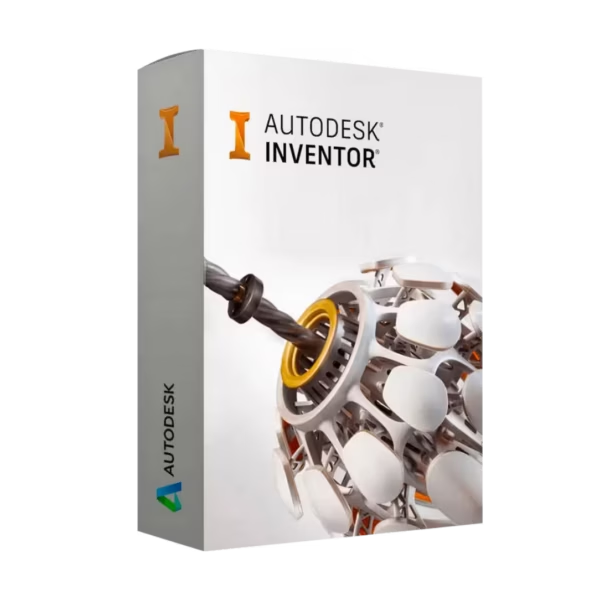
Autodesk Inventor Pro for Windows is a professional 3D mechanical design and CAD platform built for students, educators, and academic engineering teams. Get a lifetime license, instant digital delivery, and 100% compliance with EU Directive 2009/24/EC to start designing and validating products faster.
Overview of Autodesk Inventor Pro
- Platform: Windows
- Edition: Professional
- License Type: Educational
- Devices: 1 device
- License Duration: 1 Year / 3 Years
- Activation Method: Online activation
- Delivery: Instant digital delivery via email
- Support: Email and remote assistance
- Language Support: Multi-language
- Compliance: Fully legal resale under EU Directive 2009/24/EC
What Is Autodesk Inventor Pro?
Autodesk Inventor Pro is a full-featured 3D mechanical CAD solution that helps you design, simulate, and document parts and assemblies with engineering accuracy. You use it to create parametric models, produce production-ready drawings, and validate performance before anything reaches manufacturing.
It is ideal if you are studying mechanical engineering, product design, mechatronics, or manufacturing disciplines and need industry-standard workflows for coursework, labs, and portfolio projects. If you also work with 2D drafting, consider pairing it with Autodesk AutoCAD and explore related tools in our Autodesk licenses category.
Included Features in Autodesk Inventor Pro
- Parametric 3D modeling: Build precise parts and assemblies that update automatically when you change dimensions.
- Assembly design & constraints: Create multi-part mechanisms and validate fit, motion, and clearances.
- 2D drawings & documentation: Generate professional drawings, BOMs, and annotations directly from your 3D models.
- Simulation & stress analysis: Test strength and behavior early to reduce redesign cycles and project risk.
- Interoperability & file import: Work smoothly with common CAD formats for collaboration and assignments.
New Features in Autodesk Inventor Pro
- Performance enhancements: Faster assembly handling and improved responsiveness for complex models.
- Improved drawing workflows: More efficient detailing tools to speed up documentation deliverables.
- Updated UI and navigation: Streamlined access to frequently used commands and settings.
- Better interoperability: Enhanced import/export reliability for mixed CAD environments.
- Modernized collaboration support: Smoother project sharing and revision management across teams.
Key Features & Benefits of Autodesk Inventor Pro
Security & Compliance
You receive a legitimate license delivery flow with documentation-friendly purchase records and 100% legal under EU law positioning, aligned with Directive 2009/24/EC for eligible software licensing scenarios. Your activation is handled through secure online verification, and you can request remote activation support if anything blocks setup.
Performance & Engineering Accuracy
You can model and iterate quickly while maintaining engineering-grade precision. Inventor’s parametric approach helps you reduce errors when requirements change, so you can meet deadlines for coursework, labs, or capstone projects without rebuilding designs from scratch.
Remote Access Tools
If you need help installing or activating, you can rely on remote activation support to get you working on your device without guesswork. This is especially helpful in academic environments where time and lab access are limited.
Productivity & Efficiency
You can move from concept to documentation in one workflow—3D models, drawings, and BOMs stay linked. That means fewer manual updates, cleaner submissions, and faster iteration when your instructor or team requests design changes.
One-Time Ownership
This offer is positioned as a lifetime license with no subscription or renewal messaging, designed for buyers who prefer predictable costs. Your delivery is instant digital delivery via email, so you can start installing right away.
How to Activate Your Autodesk Inventor Pro License
- Download the software
- Install it on your device
- Go to Settings > Activation
- Enter your product key and activate online
Why Buy Autodesk Inventor Pro from Digital License?
- Instant delivery via email within minutes
- Lifetime license with no subscription
- Remote support and installation help included
- 100% legal resale under EU Directive 2009/24/EC
- Refund guarantee if activation fails
FAQs About Autodesk Inventor Pro
- Is this a lifetime license?
- No. The Educational license for Autodesk Inventor Pro is time-limited (typically 12 months) and is not a lifetime license. Renewal requires continued eligibility as a student or educator.
- Do I receive a retail key?
- No. This is an Educational entitlement, not a commercial retail key. Activation is completed through an Autodesk Account, and remote activation support is available if needed.
- Is it 100% legal under EU law?
- Yes. The transaction complies with EU software regulations under Directive 2009/24/EC. Usage is additionally governed by Autodesk’s Educational License Terms.
- Can I use Autodesk Inventor Pro for paid or commercial projects?
- No. Educational licenses are strictly limited to learning, teaching, training, and academic projects. Commercial or paid use is not permitted. There is no subscription or renewal claim for lifetime commercial rights.
- What happens if activation fails?
- If you encounter activation issues, we provide remote activation support. If the problem cannot be resolved, you are covered by a full refund guarantee.
- How long does the license last?
- The Autodesk Inventor Pro Educational license typically lasts 12 months from activation and can be renewed as long as you maintain eligible student or educator status.
- Can I install it on more than one device?
- The license is assigned to one eligible user. Device usage follows Autodesk’s Educational policy, usually allowing installation on one primary device.
Installation & Support for Autodesk Inventor Pro
- Official product key sent via email
- Secure download link from Microsoft or our servers
- Step-by-step instructions included
- Remote setup help available
- Buy with confidence from a verified EU software license reseller
What Does “Educational” Mean?
An Educational license is intended for learning, teaching, training, and academic projects. It is typically used by students and educators for coursework and portfolio work and may have restrictions for commercial use. You still receive instant digital delivery, guided online activation, and remote activation support to ensure a smooth setup on your device.










Reviews
There are no reviews yet.