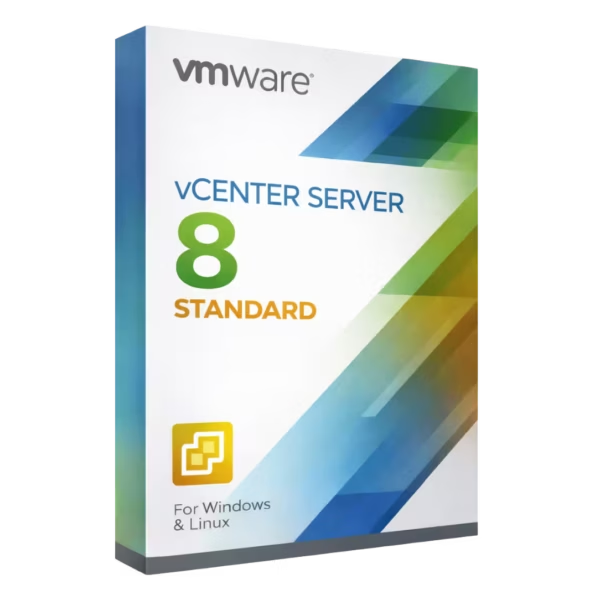
VMware vCenter Server 8 Standard is VMware’s centralized management platform for vSphere environments, built for IT administrators, virtualization engineers, and data center teams managing ESXi hosts and clusters. You get a lifetime license with instant digital delivery and 100% compliance with EU Directive 2009/24/EC, so you can manage your infrastructure confidently without subscriptions.
Overview of VMware vCenter Server 8 Standard
- Platform: VMware vSphere (vCenter Server Appliance on VMware ESXi)
- Edition: Standard
- License Type: Retail
- Devices: 1 / 5 / 10 / Devices
- License Duration: Lifetime
- Activation Method: Online activation
- Delivery: Instant digital delivery via email
- Support: Email and remote assistance
- Language Support: Multi-language
- Compliance: Fully legal resale under EU Directive 2009/24/EC
What Is VMware vCenter Server 8 Standard?
VMware vCenter Server 8 Standard is the control plane for your VMware vSphere environment. It lets you centrally manage ESXi hosts, clusters, virtual machines, storage, networking, permissions, and lifecycle operations from a single interface—so you can standardize configuration and reduce operational risk.
If you run vSphere in production, vCenter helps you operate at scale with clearer visibility and faster troubleshooting. If you’re comparing virtualization tiers, you can also consider VMware vSphere 8 Enterprise Plus or explore more options in the VMware licenses category.
Included Features in VMware vCenter Server 8 Standard
- Centralized vSphere management: Manage hosts, clusters, and VMs from one console for consistent administration.
- Role-based access control: Assign granular permissions to improve security and reduce configuration mistakes.
- Monitoring, alerts, and dashboards: Track health and capacity with proactive notifications and visibility.
- Lifecycle and update workflows: Streamline patching and upgrades to keep your environment standardized.
- Inventory and configuration management: Maintain clear infrastructure oversight for faster troubleshooting and audits.
New Features in VMware vCenter Server 8 Standard
- Improved lifecycle management: More efficient workflows to apply updates and maintain host consistency.
- Enhanced performance and scalability: Better responsiveness in larger environments and administrative operations.
- Updated management experience: Refined UI and navigation to speed up daily tasks.
- Stronger operational controls: Improved governance capabilities for safer change management.
- Modernized platform integration: Better alignment with newer vSphere 8 operational requirements.
Key Features & Benefits of VMware vCenter Server 8 Standard
Security & Compliance
You control access centrally and apply consistent permissions, helping you meet internal governance needs. Your purchase includes a retail license that is 100% legal under EU law and aligned with Directive 2009/24/EC.
Performance & Virtualization
You keep your vSphere environment stable and efficient by monitoring health, resource usage, and capacity trends, so you can act before performance issues affect production.
Remote Access Tools
You manage your environment from anywhere through the vSphere Client, and you can rely on remote activation support if you need help completing activation and setup.
Productivity & Efficiency
You reduce manual effort with centralized inventory, standardized workflows, and faster troubleshooting, making it easier to scale operations without increasing complexity.
One-Time Ownership
You avoid ongoing costs with a lifetime license—no subscription or renewal. Because your retail key is transferrable to another device, you keep flexibility when hardware changes.
How to Activate Your VMware vCenter Server 8 Standard License
- Download the software
- Install it on your device
- Go to Settings > Activation
- Enter your product key and activate online
Why Buy VMware vCenter Server 8 Standard from Digital License?
- Instant delivery via email within minutes
- Lifetime license with no subscription
- Remote support and installation help included
- 100% legal resale under EU Directive 2009/24/EC
- Refund guarantee if activation fails
FAQs About VMware vCenter Server 8 Standard
- I’m worried about compliance—are these licenses legal in the EU?
- Yes. Your license is 100% legal under EU law and aligned with Directive 2009/24/EC. You receive a genuine retail key with a lifetime license.
- What if the product key doesn’t activate?
- You get remote activation support and a full refund guarantee if activation fails, so your purchase is protected.
- Is this a subscription that I need to renew?
- No. This is a lifetime license with no subscription or renewal, so you pay once and keep using it as licensed.
- Can I transfer this license to another device later?
- Yes. Because it’s a retail key, it is transferrable to another device in line with the license conditions—while keeping the benefits of a lifetime license.
- How fast will I receive my license after purchase?
- You receive instant digital delivery via email within minutes, including your retail key and instructions.
- Do you help with installation and setup?
- Yes. We provide guidance and remote activation support, and you are covered by a full refund guarantee if activation fails.
- Are there any hidden fees?
- No. You receive a lifetime license with no subscription or renewal, backed by a full refund guarantee.
Installation & Support for VMware vCenter Server 8 Standard
- Official product key sent via email
- Secure download link from Microsoft or our servers
- Step-by-step instructions included
- Remote setup help available
- Buy with confidence from a verified EU software license reseller
What Does “Retail” Mean?
A retail license is a flexible license designed for long-term ownership. With a lifetime license, you have no subscription or renewal, and you can transfer the license to another device if your hardware changes (in line with licensing conditions). This makes a retail license ideal for predictable costs and maximum flexibility.









Reviews
There are no reviews yet.