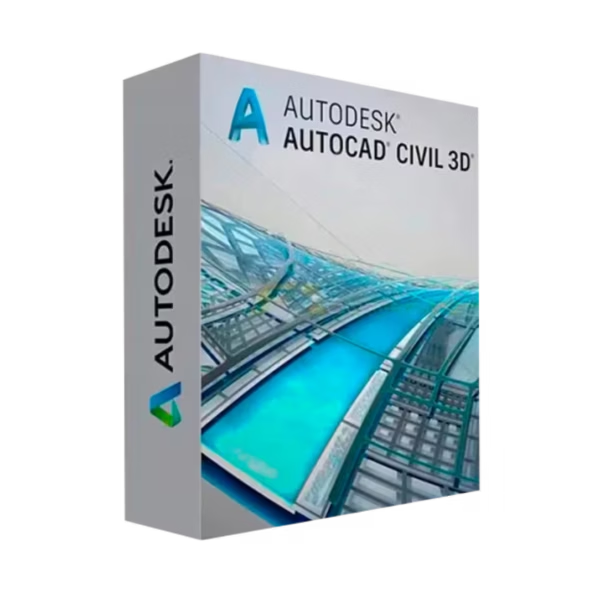
Autodesk Civil 3D for Windows is a professional civil engineering design solution created for students, educators, and academic institutions focused on infrastructure, land development, and transportation design. This Educational edition is delivered with instant digital delivery and provided in 100% compliance with EU Directive 2009/24/EC, ensuring a fully legal software transaction within the EU education framework.
Overview of Autodesk Civil 3D
- Platform: Windows
- Edition: Autodesk Civil 3D Educational
- License Type: Educational (non-commercial)
- Devices: 1 device
- License Duration: 1 Year / 3 Years
- Activation Method: Online activation via Autodesk Account
- Delivery: Instant digital delivery via email
- Support: Email and remote assistance
- Language Support: Multi-language
- Compliance: EU-lawful software transaction under Directive 2009/24/EC; usage governed by Autodesk Educational Terms
What Is Autodesk Civil 3D?
Autodesk Civil 3D is a civil engineering design and documentation platform that helps you plan, design, and analyze infrastructure projects using model-based workflows. You work with intelligent objects such as surfaces, alignments, corridors, and pipe networks, allowing design changes to automatically update drawings, profiles, and quantities.
This makes Civil 3D ideal for learning road design, site development, and drainage systems in an academic environment. If your studies also involve advanced visualization or animation of infrastructure projects, Civil 3D is often complemented by Autodesk Maya. You can explore more study-ready tools in our Autodesk Education licenses category.
Included Features in Autodesk Civil 3D
- Surface & Terrain Modeling: Build and analyze existing and proposed surfaces for accurate earthworks.
- Road & Corridor Design: Design roads and linear infrastructure with dynamic, rule-based corridors.
- Grading & Site Design: Create grading solutions for parcels, sites, and land development projects.
- Pipe Networks: Model stormwater and sanitary systems with connected plan and profile views.
- Automated Documentation: Generate drawings, labels, and quantities that stay linked to your model.
New Features in Autodesk Civil 3D
- Performance Improvements: Faster handling of large drawings and complex corridor models.
- Enhanced Interoperability: Smoother data exchange with other Autodesk CAD and BIM tools.
- Refined Labeling Tools: Greater control over annotation and documentation standards.
- Improved Surface Analysis: Better tools for volumes, contours, and terrain evaluation.
- Workflow Optimizations: Time-saving enhancements that reduce repetitive drafting tasks.
Key Features & Benefits of Autodesk Civil 3D
Security & Compliance
You activate Civil 3D through an official Autodesk Account within a framework that is 100% legal under EU law and aligned with Directive 2009/24/EC. Usage is limited to educational, non-commercial purposes.
Performance & Virtualization
Civil 3D supports complex infrastructure models and large datasets, making it suitable for academic labs, engineering classrooms, and virtual learning environments.
Remote Access Tools
If you encounter activation or installation issues, remote activation support is available to help you get up and running quickly.
Productivity & Efficiency
Model-based workflows reduce rework by keeping designs, profiles, and quantities synchronized—helping you focus on learning engineering principles rather than manual drafting.
Educational Access
This Educational license is time-limited (1 year or 3 years) and tied to academic eligibility. It is not a lifetime license and does not allow commercial use.
How to Activate Your Autodesk Civil 3D License
- Download the software
- Install it on your device
- Go to Settings > Activation
- Sign in to your Autodesk Account and activate online
Why Buy Autodesk Civil 3D from Digital License?
- Instant delivery via email within minutes
- Clear educational eligibility guidance
- Remote support and installation help included
- 100% EU-lawful transaction under Directive 2009/24/EC
- Refund guarantee if activation fails
FAQs About Autodesk Civil 3D
- Is this a lifetime license?
- No. This is an Educational license with a duration of 1 year or 3 years. It is not a lifetime license.
- Do I receive a retail key?
- No commercial retail key is issued. Activation is handled through your Autodesk Account with remote activation support.
- Is it 100% legal under EU law?
- Yes. The transaction complies with Directive 2009/24/EC, and usage is governed by Autodesk’s Educational Terms.
- Can I use Civil 3D for paid engineering work?
- No. Educational licenses are strictly non-commercial and cannot be used for paid projects.
- What happens if activation fails?
- You receive remote activation support and a full refund guarantee if the issue cannot be resolved.
- Can I renew the license?
- Yes. Renewal is possible as long as you continue to meet Autodesk’s student or educator eligibility requirements.
- How many devices can I install it on?
- The license is assigned to one eligible user and typically allows installation on one primary device.
Installation & Support for Autodesk Civil 3D
- Official educational entitlement sent via email
- Secure download link from Autodesk
- Step-by-step instructions included
- Remote setup help available
- Buy with confidence from a verified EU software license reseller
What Does “Educational License” Mean?
An Educational license provides eligible students and educators access to Autodesk Civil 3D for teaching, learning, and academic research. It is time-limited (1 year or 3 years), restricted to non-commercial use, and fully compliant with EU Directive 2009/24/EC, while remaining subject to Autodesk’s Education eligibility and usage terms.










Reviews
There are no reviews yet.