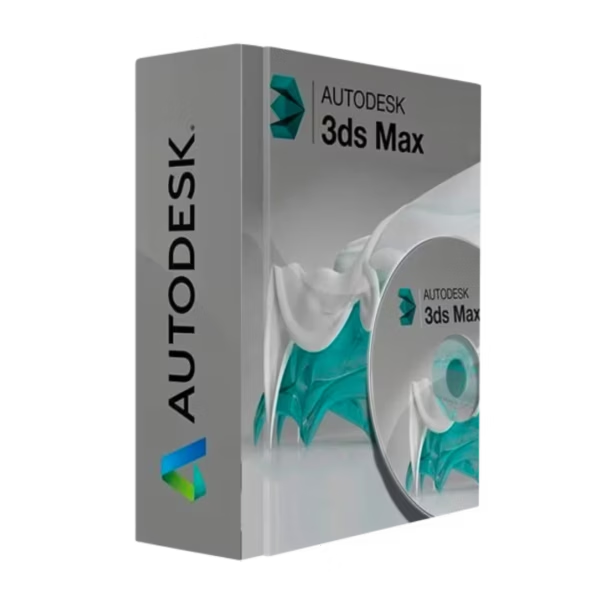
Autodesk 3ds Max for Windows is a professional 3D creation and visualization software designed for students, educators, and academic institutions focused on animation, game design, visual effects, and 3D modeling. This Educational edition is delivered with instant digital delivery and provided in full 100% compliance with EU Directive 2009/24/EC for lawful software transactions within the EU education framework.
Overview of Autodesk 3ds Max
- Platform: Windows
- Edition: Autodesk 3ds Max Educational
- License Type: Educational
- Devices: 1 device
- License Duration: 1 Year / 3 Years
- Activation Method: Online activation via Autodesk Account
- Delivery: Instant digital delivery via email
- Support: Email and remote assistance
- Language Support: Multi-language
- Compliance: EU-lawful software transaction under Directive 2009/24/EC; usage governed by Autodesk Educational Terms
What Is Autodesk 3ds Max?
Autodesk 3ds Max is a powerful 3D modeling, animation, and rendering application that allows you to create high-quality digital content for games, films, product visualizations, and architectural presentations. You work with the same core tools used in professional studios, making it ideal for skill development, coursework, and academic research.
In educational workflows that combine modeling with infrastructure or terrain concepts, 3ds Max is often paired with Autodesk Civil 3D for visualization and concept development. You can also explore related tools in our Autodesk Education licenses category.
Included Features in Autodesk 3ds Max
- Advanced 3D Modeling: Create detailed hard-surface and organic models using industry-grade tools.
- Animation & Rigging: Build character rigs and animate scenes with professional timeline controls.
- Materials & Textures: Design realistic materials and textures for high-end visual output.
- Rendering Capabilities: Produce high-quality renders for presentations and academic projects.
- Broad Format Support: Import and export common 3D formats for collaborative workflows.
New Features in Autodesk 3ds Max
- Viewport Performance Improvements: Smoother navigation in complex scenes.
- Enhanced Modeling Tools: Faster workflows with refined editing controls.
- Improved UV Tools: Cleaner UV mapping and texture management.
- Modernized UI Elements: Better usability for daily academic work.
- Pipeline Interoperability: More reliable data exchange with other Autodesk tools.
Key Features & Benefits of Autodesk 3ds Max
Security & Compliance
You activate Autodesk 3ds Max through an official Autodesk Account within a framework that is 100% legal under EU law and aligned with Directive 2009/24/EC. Usage is restricted to educational, non-commercial purposes.
Performance & Virtualization
Optimized for modern hardware, 3ds Max runs reliably on academic workstations and virtual lab environments used in universities and training centers.
Remote Access Tools
If activation or setup assistance is required, remote activation support is available to ensure proper configuration under Autodesk’s Educational policies.
Productivity & Efficiency
You benefit from professional-grade tools that accelerate learning and content creation, allowing you to focus on creative development rather than technical limitations.
Educational Access
This Educational license is time-limited and tied to student or educator eligibility. It is not a lifetime license and does not include commercial usage rights.
How to Activate Your Autodesk 3ds Max License
- Download the software
- Install it on your device
- Go to Settings > Activation
- Sign in to your Autodesk Account and activate online
Why Buy Autodesk 3ds Max from Digital License?
- Instant delivery via email within minutes
- Clear educational eligibility guidance
- Remote support and activation help included
- 100% legal EU transaction under Directive 2009/24/EC
- Refund guarantee if activation fails
FAQs About Autodesk 3ds Max
- Is this a lifetime license?
- No. This is an Educational license with a duration of 1 year or 3 years. It is not a lifetime license and requires continued eligibility.
- Do I receive a retail key?
- No commercial retail key is issued. Activation is handled through your Autodesk Account with remote activation support if needed.
- Is this 100% legal under EU law?
- Yes. The transaction complies with Directive 2009/24/EC. Software use is additionally governed by Autodesk’s Educational Terms.
- Can I use it for paid or freelance work?
- No. Educational licenses are strictly non-commercial and cannot be used for paid projects.
- What happens if activation fails?
- You receive remote activation support, and a full refund guarantee applies if the issue cannot be resolved.
- Can I renew the license?
- Yes. Renewal is possible as long as you continue to meet Autodesk’s student or educator eligibility requirements.
- How many devices can I install it on?
- The license is assigned to one eligible user and typically allows installation on one primary device.
Installation & Support for Autodesk 3ds Max
- Official educational entitlement sent via email
- Secure download link from Autodesk
- Step-by-step instructions included
- Remote setup help available
- Buy with confidence from a verified EU software license reseller
What Does “Educational License” Mean?
An Educational license grants eligible students and educators access to Autodesk 3ds Max for teaching, learning, and academic research. It is time-limited (1 year or 3 years), restricted to non-commercial use, and fully compliant with EU Directive 2009/24/EC while remaining subject to Autodesk’s Education eligibility and usage terms.









Reviews
There are no reviews yet.