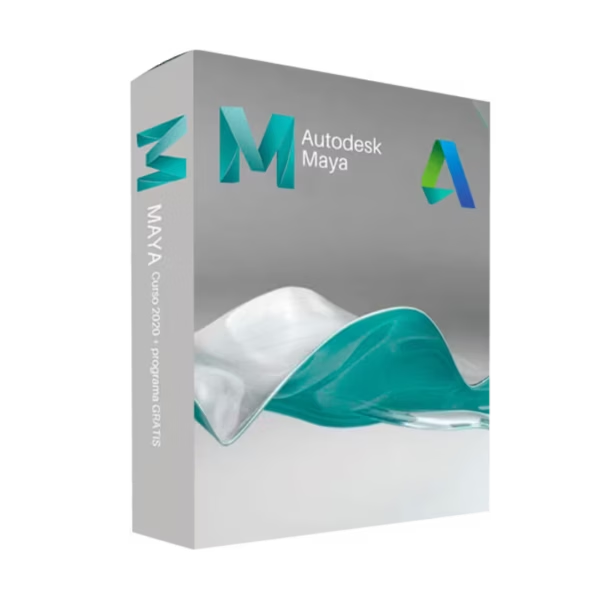
Autodesk Maya for Windows is built for students, educators, and academic labs that need industry-standard 3D modeling, animation, rigging, and rendering tools. You receive instant digital delivery and a purchase process aligned with 100% compliance with EU Directive 2009/24/EC; note that this Educational license is time-limited and is not a lifetime license.
Overview of Autodesk Maya
- Platform: Windows
- Edition: Autodesk Maya Educational
- License Type: Educational (non-commercial)
- Devices: 1 device
- License Duration: 1 Year / 3 Years
- Activation Method: Online activation via Autodesk Account
- Delivery: Instant digital delivery via email
- Support: Email and remote assistance
- Language Support: Multi-language
- Compliance: EU-lawful software transaction under Directive 2009/24/EC; usage governed by Autodesk Educational Terms
What Is Autodesk Maya?
Autodesk Maya is a professional 3D creation suite that helps you model detailed assets, animate characters, build rigs, and render high-quality visuals for film, games, and motion design. You get a production-grade toolset used across the industry, so you can learn the same workflows studios use—while focusing on education, practice, and portfolio building.
This Educational edition is intended for teaching and learning only, meaning you must not use it for paid commercial projects. If your curriculum also includes structural or fabrication-focused workflows, you can complement Maya with Autodesk Advance Steel and explore more options in our Autodesk Education licenses category.
Included Features in Autodesk Maya
- 3D Modeling Toolset: Create high-detail meshes and hard-surface assets with precise control.
- Rigging & Skinning: Build character rigs and deformation setups for realistic motion.
- Animation Workflow: Animate characters and objects using keyframes, curves, and timing tools.
- Simulation Effects: Create dynamics such as cloth, hair, particles, and physics-based motion.
- Rendering & Look Development: Produce high-quality renders with materials, lighting, and scene optimization.
New Features in Autodesk Maya
- Performance Enhancements: Faster playback and improved responsiveness for complex scenes.
- Improved Rigging Tools: Streamlined character setup to speed up learning and iteration.
- Refined Animation Workflow: Smoother curve editing and timeline control for cleaner motion.
- Better USD/Interchange Support: More flexible pipelines for sharing assets across tools.
- Viewport & Stability Updates: More reliable navigation and fewer slowdowns on heavy projects.
Key Features & Benefits of Autodesk Maya
Security & Compliance
You activate through an Autodesk Account under a framework that is 100% legal under EU law and aligned with Directive 2009/24/EC. Your use remains bound to Autodesk’s Educational Terms for non-commercial learning.
Performance & Virtualization
Maya is designed for demanding scenes and high-poly assets, making it suitable for campus labs, powerful student workstations, and virtual learning environments where stability matters.
Remote Access Tools
If you run into setup or sign-in issues, you get remote activation support to reduce downtime and help you start working quickly.
Productivity & Efficiency
With integrated modeling, rigging, animation, and simulation tools, you can iterate faster and keep your projects consistent—ideal for deadlines, assignments, and portfolio targets.
One-Time Ownership
This is an Educational license, so it is time-limited and not a lifetime license. For commercial work that requires no subscription or renewal, you would need a separate commercial plan rather than an education entitlement.
How to Activate Your Autodesk Maya License
- Download the software
- Install it on your device
- Go to Settings > Activation
- Sign in to your Autodesk Account and activate online
Why Buy Autodesk Maya from Digital License?
- Instant delivery via email within minutes
- Clear eligibility guidance for Educational activation
- Remote support and installation help included
- 100% legal resale framework under EU Directive 2009/24/EC
- Refund guarantee if activation fails
FAQs About Autodesk Maya
- I need a lifetime license—does this include lifetime access?
- No. The Educational license is time-limited (typically 1 Year / 3 Years) and is not a lifetime license; access depends on continued eligibility under Autodesk’s Education terms.
- Will I receive a retail key by email?
- This is an Educational entitlement, not a commercial retail key. Activation is completed via your Autodesk Account, and we provide remote activation support.
- Is this 100% legal under EU law?
- Yes. The transaction is aligned with Directive 2009/24/EC and is described as 100% legal under EU law for software transactions; product usage is additionally governed by Autodesk’s Educational Terms.
- Can I use Maya for paid client work or commercial projects?
- No. Educational licenses are strictly non-commercial. If you need commercial rights, you must choose a commercial plan; there is no subscription or renewal claim here for lifetime commercial rights.
- What if activation fails or I cannot sign in?
- We offer remote activation support and a full refund guarantee if we cannot resolve the activation issue.
- How long does the Educational license last?
- It is offered as 1 Year / 3 Years from activation, renewable only while you remain eligible as a student or educator.
- Can I install it on more than one device?
- It is intended for one eligible user; device allowance follows Autodesk’s Educational policy (typically one primary device).
- Do I need to renew every year?
- If you choose a 1-year term, renewal may be required to continue access. A 3-year term reduces renewal frequency, but eligibility must remain valid under Autodesk rules.
Installation & Support for Autodesk Maya
- Official educational entitlement and activation instructions sent via email
- Secure download link from Autodesk or our servers
- Step-by-step instructions included
- Remote setup help available
- Buy with confidence from a verified EU software license reseller
What Does “Educational License” Mean?
An Educational license gives eligible students, educators, and academic institutions access to Autodesk Maya for teaching, learning, and research. It is time-limited (1 or 3 years), restricted to non-commercial use, and must not be used for paid projects. The transaction is aligned with Directive 2009/24/EC for EU software transactions, while day-to-day use remains governed by Autodesk’s Education eligibility and terms.








Reviews
There are no reviews yet.