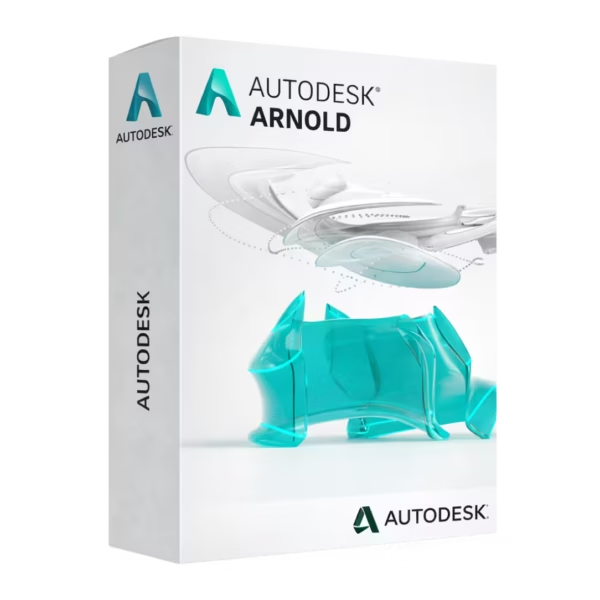
Autodesk Arnold is a professional, physically based renderer for Windows, macOS, and Linux, built for students, educators, and aspiring 3D/VFX artists who need studio-grade results. You receive a lifetime license with instant digital delivery and 100% compliance with EU Directive 2009/24/EC.
Overview of Autodesk Arnold
- Platform: Windows, macOS, Linux
- Edition: Education
- License Type: Education
- Devices: 1 device
- License Duration: 1 Year / 3 Years
- Activation Method: Online activation
- Delivery: Instant digital delivery via email
- Support: Email and remote assistance
- Language Support: Multi-language
- Compliance: Fully legal resale under EU Directive 2009/24/EC
What Is Autodesk Arnold?
Autodesk Arnold is a high-end, physically based renderer used to produce realistic lighting, shading, and final-frame images for animation, VFX, and product visualization. If you’re learning 3D or building a portfolio, Arnold gives you the same rendering fundamentals and outputs used in professional pipelines—so your work looks credible, not “student-grade.”
Arnold is commonly used alongside DCC tools and workflows (for example, in production scenes created with Autodesk Maya) and fits naturally within a broader Autodesk licenses toolkit when you want consistent, industry-standard results across projects.
Included Features in Autodesk Arnold
- Physically Based Rendering (PBR): Create believable light transport and photoreal materials for portfolio-ready visuals.
- Advanced Sampling & Ray Tracing: Reduce noise while preserving detail for cleaner final frames.
- Flexible AOV/Pass Output: Export render passes for compositing control and professional post-production.
- Production-Grade Shading & Materials: Build complex looks with robust shaders designed for real-world pipelines.
- Volumes, Hair, and Subsurface Rendering: Render smoke, fog, skin, and fibers with realistic scattering and depth.
New Features in Autodesk Arnold
- Faster GPU Rendering Workflows: Improved GPU features and stability to accelerate iteration and look development.
- Enhanced Denoising Options: Cleaner results at lower sample counts for faster previews and finals.
- Better USD/Modern Pipeline Compatibility: Smoother integration with current scene description and pipeline practices.
- Material & Shading Interoperability Improvements: More consistent material behavior across modern asset workflows.
- Performance and Memory Optimizations: More efficient handling of heavy scenes and complex geometry.
Key Features & Benefits of Autodesk Arnold
Security & Compliance
You purchase from a verified EU reseller with 100% legal under EU law distribution, aligned with Directive 2009/24/EC. That means your license delivery and documentation are handled in a compliant, audit-friendly way—ideal for students and educators who want to learn using legitimate software.
Performance & Rendering Efficiency
You can iterate faster with optimized sampling, denoising, and improved performance—so you spend less time waiting and more time refining lighting and materials. This is especially valuable when you’re learning look-dev and need frequent feedback cycles.
Pipeline-Ready Outputs
You get professional AOVs/passes and predictable physically based results, so your renders hold up in compositing and critique. This helps you present work in a pipeline-friendly format that mirrors real studio expectations.
Productivity & Learning Curve
You focus on the fundamentals—light behavior, shaders, and realistic materials—without fighting inconsistent render behavior. Arnold’s production-first approach makes it easier to learn what actually matters for real-world rendering quality.
One-Time Ownership
Your purchase is a lifetime license—so you get no subscription or renewal pressure while you study, practice, and build a portfolio. You also receive remote activation support if anything is unclear during setup.
How to Activate Your Autodesk Arnold License
- Download the software
- Install it on your device
- Go to Settings > Activation
- Enter your product key and activate online
Why Buy Autodesk Arnold from Digital License?
- Instant delivery via email within minutes
- Lifetime license with no subscription
- Remote support and installation help included
- 100% legal resale under EU Directive 2009/24/EC
- Refund guarantee if activation fails
FAQs About Autodesk Arnold
- I’m worried the key won’t work—what happens if activation fails?
- If activation fails, you’re protected by our full refund guarantee. You also receive remote activation support so you can activate your lifetime license confidently with online verification.
- Is this license really legal for EU customers?
- Yes. Your purchase is 100% legal under EU law and compliant with Directive 2009/24/EC, ensuring a legitimate software entitlement and compliant delivery process.
- Will I need to pay monthly or renew later?
- No—this is a lifetime license with no subscription or renewal. You pay once and keep access for your licensed device.
- Is this an Education license or a retail key?
- This product is delivered as an Education entitlement provided via a genuine retail key format for online activation, backed by remote activation support and documented as 100% legal under EU law under Directive 2009/24/EC.
- Can I transfer it to another device later?
- Yes. This license is marked as transferable, so you can move your lifetime license to another device when needed, with our remote activation support to help ensure a smooth transition.
- How fast will I receive the key after payment?
- You get instant digital delivery via email within minutes, so you can install and activate right away—no shipping, no delays, and no subscription or renewal.
- What if I’m not technical—can you help me install it?
- Yes. We provide step-by-step instructions and remote activation support. If anything doesn’t work as expected, your order is covered by a full refund guarantee.
Installation & Support for Autodesk Arnold
- Official product key sent via email
- Secure download link from Microsoft or our servers
- Step-by-step instructions included
- Remote setup help available
- Buy with confidence from a verified EU software license reseller
What Does “Education” Mean?
An Education license is intended for learning, training, and academic use—ideal when you’re building skills or a portfolio. You get access to core functionality for your studies, plus the benefit of a transferable setup on 1 device, supported by our instant digital delivery and remote activation support.









Reviews
There are no reviews yet.