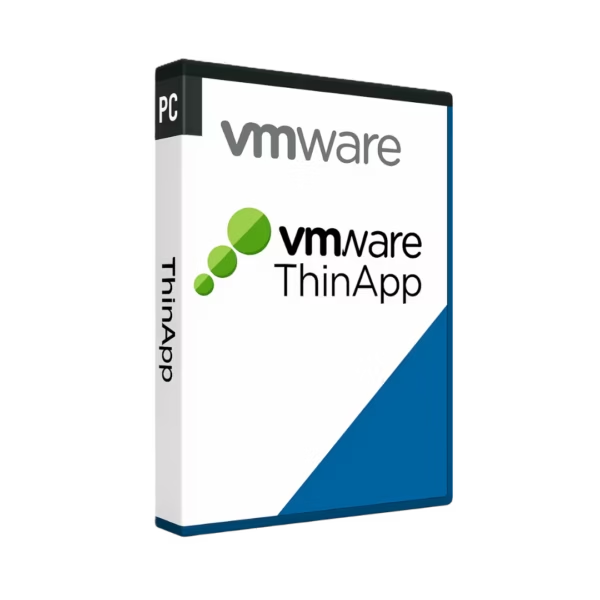
VMware Thinapp is a professional solution for application virtualization on Windows. It gives you instant digital delivery, lifetime usage, and no subscription.
It is ideal for IT teams, businesses, and advanced users who need secure, flexible, and efficient application management.
Overview of VMware Thinapp
- Platform: Windows
- License Type: Retail
- Devices: 1 Device
- License Duration: Lifetime
- Activation Method: Online activation
- Delivery: Instant digital delivery via email
- Support: Email and remote assistance
- Language Support: Multi-language
- Compliance: Genuine software licenses sourced through compliant distribution channels in line with EU laws (EU Directive 2009/24/EC)
and industry standards.
Key Features
- Application virtualization: Run applications in isolated packages, reducing software conflicts and improving system stability.
- Fast deployment: Package and distribute applications more easily, saving time for IT teams and businesses.
- Isolated runtime environment: Keep applications separate from the operating system, making testing and troubleshooting easier.
- Legacy application support: Continue using important older applications in modern Windows environments.
- Efficient IT management: Standardize application delivery and reduce repetitive installation work.
- Lifetime usage: Pay once and use the software long term without monthly or yearly renewal fees.
- Instant digital access: Receive your product by email and start installation without waiting for physical delivery.
Main Features Explained
Application Isolation
Application isolation allows programs to run separately from the main system files and registry. This matters because it helps prevent conflicts, errors, and unwanted changes to the Windows environment.
Portable Application Packages
VMware ThinApp can package applications into more manageable formats. As a result, IT teams can deploy software faster and reduce manual setup work.
Windows Application Compatibility
The software helps users manage applications in Windows with greater control. This is useful for testing, deployment, and maintaining stable business workflows.
Simplified Support
Because applications can run in controlled environments, technical issues are easier to identify. Therefore, support teams can solve problems faster and reduce downtime.
Why Choose VMware Thinapp?
VMware Thinapp is built for businesses, IT administrators, and advanced users who need secure application virtualization. It is especially useful when applications must be tested, packaged, or deployed without affecting the entire system.
It is a strong choice within virtualization software because it focuses on application-level flexibility instead of full machine virtualization. If you are comparing VMware tools, VMware Workstation 17 Player is better suited for running virtual machines, while VMware Thinapp is focused on application packaging and isolation.
VMware Thinapp vs Alternatives
Compared with VMware vSphere 7 Standard, VMware Thinapp is designed for application virtualization rather than server virtualization. vSphere is ideal for managing virtual infrastructure, while Thinapp is better for isolating and deploying individual applications.
Compared with VMware Fusion 13 Pro Mac, this product is made for Windows-based workflows. Fusion is suitable for Mac users who need virtual machines, while Thinapp supports users who need efficient application delivery on Windows.
System Compatibility
VMware Thinapp is designed for Windows. For the best experience, your computer should be updated and have enough system resources for the applications you plan to virtualize.
Before installation, check that your system meets the required technical conditions. This helps ensure smoother activation, better performance, and a more stable setup.
License Type Explanation
This is a Retail license for 1 Device. It can be installed and activated only once on one computer.
After activation, the license provides lifetime usage as a one-time purchase. It cannot be transferred to another computer and cannot be used again if the software is uninstalled or the device is formatted.
Installation & Activation
- Complete your order and receive the product by email.
- Open the instructions included with your digital delivery.
- Download the installation files as directed.
- Install the software on your Windows device.
- Launch the program and complete online activation.
- Contact support if you need help with installation or activation.
Why Buy From Us
Digital License provides genuine software licenses, secure payment, fast digital delivery, and professional support. We also follow EU laws, including EU Directive 2009/24/EC, and industry standards for compliant software distribution.
- Genuine licenses from compliant distribution channels
- Secure payment for a safe checkout experience
- Instant digital delivery via email
- Email and remote assistance when support is needed
- EU law compliance and industry-standard distribution
Trust & Reliability
Choosing Digital License means choosing a reliable software supplier focused on clarity, speed, and customer support. Each order is handled digitally, so you can start quickly and manage your software with confidence.









Reviews
There are no reviews yet.