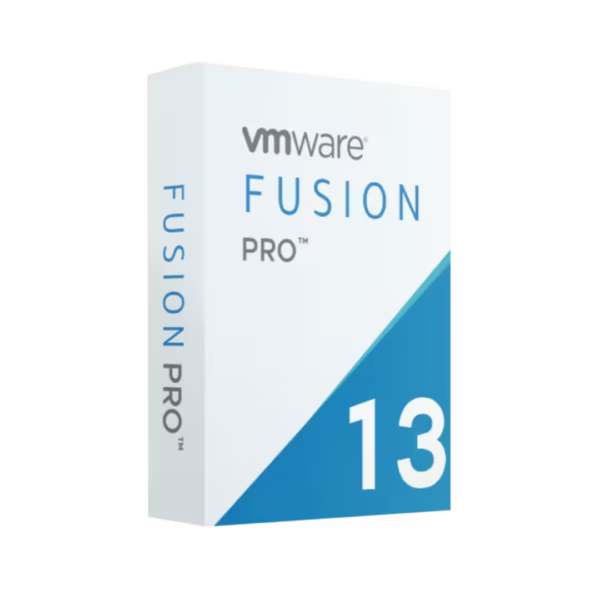
Run Windows, Linux, and other operating systems seamlessly on your Mac without rebooting by using VMware Fusion 13 Pro Mac. Get this premium virtualization solution with instant digital delivery right now. Consequently, you can optimize your workflow immediately. Enjoy lifetime usage with a one-time purchase. Therefore, you completely eliminate monthly subscription fees.
Overview of VMware Fusion 13 Pro Mac
- Platform: macOS
- Edition: Professional
- License Type: Retail
- Devices: 1 Device
- License Duration: Lifetime
- Activation Method: Online activation
- Delivery: Instant digital delivery via email
- Support: Email and remote assistance
- Language Support: Multi-language
- Compliance: Genuine software licenses sourced through compliant distribution channels in line with EU laws (EU Directive 2009/24/EC) and industry standards.
Key Features
- Dual-OS Functionality: Run Windows and macOS applications simultaneously side-by-side to eliminate the need for a secondary computer.
- Advanced Virtual Networking: Create complex IPv4 and IPv6 virtual networks to simulate real-world production environments for robust testing.
- Powerful 3D Graphics Support: Utilize DirectX 11 and OpenGL 4.3 engines to run demanding 3D applications and games with incredible responsiveness.
- vSphere Connectivity: Connect directly to ESXi servers to upload, download, and manage virtual machines seamlessly across your enterprise infrastructure.
- Secure VM Encryption: Encrypt your virtual machines completely to protect sensitive company data from unauthorized access or theft.
- Snapshot Capabilities: Save specific system states to roll back configurations instantly if software testing causes unexpected OS failures.
Main Features Explained
Virtual Network Customization
This powerful feature allows tech professionals to build intricate, isolated virtual networks. Users can customize network topology, latency, and packet loss simulation. Therefore, software developers and network engineers can thoroughly stress-test their applications. They do this locally without risking the live corporate network infrastructure.
vSphere and ESXi Integration
This capability provides a direct bridge between your local Mac desktop and cloud environments. Consequently, IT administrators can drag and drop virtual machines instantly. They can control remote server workloads directly. Furthermore, they manage enterprise infrastructure without opening a separate web browser.
High-Performance 3D Graphics Engine
The software completely maximizes the host Mac hardware capabilities by leveraging accelerated graphics pipelines. This setup delivers fluid visual rendering for demanding tasks. Therefore, it matters deeply to engineers and designers. They can easily run modern graphics-heavy IDEs, CAD tools, or testing frameworks.
Why Choose VMware Fusion 13 Pro Mac?
This software serves developers, IT professionals, and businesses that need a robust sandbox on Apple hardware. You can test software deployment across multiple operating systems easily. In addition, you can run Windows-exclusive corporate applications smoothly. This package delivers the total stability required for high-stakes workloads.
If you want to maximize your infrastructure, explore our virtualization software licenses today. You will find the ideal match for your operational setup. Therefore, you can scale your testing capabilities instantly.
Windows users often rely on tools like vmware workstation 17 player for entry-level tasks. However, Mac users get a fully integrated desktop experience with this professional edition. It bridges the gap between different OS architectures perfectly. Consequently, hardware choices never limit your overall productivity.
VMware Fusion 13 Pro Mac vs Alternatives
Standard desktop virtualization utilities offer only basic emulation features. In contrast, this professional Mac edition includes advanced linked clones and virtual network editing. It also provides secure enterprise server connectivity. Standard alternatives focus purely on running a single guest OS for casual users. However, this software supports complex multi-VM deployment and virtual machine encryption. Therefore, it satisfies power users completely.
System Compatibility
Your host computer must run a compatible version of macOS to launch this software. Compatible versions include macOS Monterey, Ventura, or newer builds. The software supports both Intel-based Macs and Apple Silicon chips perfectly. However, the available guest operating systems depend entirely on your specific host hardware architecture. Therefore, you should allocate adequate RAM and storage to handle your virtual machines smoothly.
License Type Explanation
We supply this product as a genuine Retail license. You can install a Retail license only once on one computer. It cannot be transferred to another machine. Furthermore, you cannot use it again on a different device. These licenses never expire after online activation. Consequently, you enjoy perpetual access to your software. However, you will lose the license permanently if you uninstall the software or format your device.
Installation & Activation
1. Download the official installation package using the secure download link in your delivery email.
2. Open the downloaded file on your Mac desktop to view the installer package.
3. Double-click the installer icon to start the setup wizard immediately.
4. Follow the clear on-screen prompts to configure your initial application settings.
5. Enter your unique product key when the system prompts you during startup.
6. Complete the online activation process instantly over a secure internet connection.
Why Buy From Us
We specialize in providing verified digital assets with guaranteed validity and exceptional buyer security. Our commitment ensures a smooth purchasing experience. In addition, we back every order with professional technical assistance.
- Genuine Licenses: Every single item is completely authentic and sourced legally.
- Secure Payment: Our checkout uses top-tier encryption protocols to safeguard your financial details.
- Expert Support: Receive comprehensive email and remote assistance to resolve any setup issues.
- Full Compliance: All transactions strictly align with EU laws (EU Directive 2009/24/EC) and global industry standards.
Trust Section
Join thousands of satisfied IT professionals, developers, and businesses worldwide. They rely on our platform for their critical software deployment needs. We offer rapid digital fulfillment and legally compliant distribution. In addition, you get dedicated support. Therefore, we take the stress out of software sourcing completely.









Reviews
There are no reviews yet.