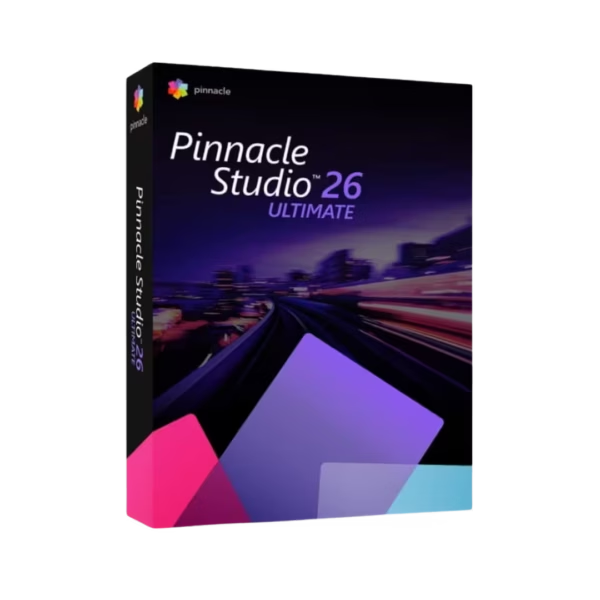
Corel Pinnacle Studio Ultimate 26 is advanced video editing software for Windows users who want strong creative control and professional results. With instant digital delivery, lifetime usage, and no subscription, it gives creators a powerful editing setup without recurring costs.
It is ideal for content creators, video editors, educators, and businesses that need smooth editing tools for polished videos, social media content, tutorials, and marketing projects.
Overview of Corel Pinnacle Studio Ultimate 26
- Platform: Windows
- Edition: Ultimate
- License Type: Retail
- Devices: 1 Device
- License Duration: Lifetime
- Activation Method: Online activation
- Delivery: Instant digital delivery via email
- Support: Email and remote assistance
- Language Support: Multi-language
- Compliance: Genuine software licenses sourced through compliant distribution channels in line with EU laws (EU Directive 2009/24/EC) and industry standards.
Key Features
- Advanced timeline editing: Edit clips, audio, titles, and effects with precision, so you can build clean and professional video projects.
- Multi-track workflow: Combine multiple layers of video, sound, images, and graphics, making it easier to create detailed productions.
- Creative effects and transitions: Add visual style, movement, and smooth scene changes to make your videos more engaging.
- Color correction tools: Improve brightness, contrast, and overall tone, helping your footage look more balanced and polished.
- Audio editing controls: Adjust voice, music, and background sound, so your final video feels clearer and more professional.
- Title and motion tools: Create captions, intros, labels, and animated text that help explain your message and improve presentation.
- Export options: Prepare finished videos for social platforms, business use, online sharing, or personal storage with practical output settings.
Main Features Explained
Professional Timeline Editing
The timeline gives you control over clips, layers, transitions, sound, and effects. This matters because a clear editing workspace helps you shape better stories and produce cleaner final videos.
Multi-Track Video Production
Multi-track editing lets you layer different media elements in one project. As a result, you can create tutorials, promotional videos, presentations, and creative content with more depth.
Color and Visual Enhancement
Color tools help improve the look of your footage by adjusting light, tone, and balance. This is useful when you want videos to look more consistent, sharp, and professional.
Audio and Title Tools
Clear sound and strong titles make videos easier to follow. With audio controls and text tools, you can add voiceovers, music, captions, and intros that improve the viewer experience.
Why Choose Corel Pinnacle Studio Ultimate 26?
Corel Pinnacle Studio Ultimate 26 is made for users who need more than basic editing. It supports creative workflows for YouTube videos, business promos, training content, family movies, product demos, and social media campaigns.
If you want to explore similar creative tools, visit our photo and video editing software category for more solutions designed for digital media production.
Compared with EaseUS Video Editor, Corel Pinnacle Studio Ultimate 26 is a stronger choice for users who want a more advanced editing environment with deeper creative control.
For users who also need a wider video utility toolkit, EaseUS VideoKit may be useful for handling different video tasks. If you need to fix damaged footage before editing, Stellar Repair for Video can also support your workflow.
Corel Pinnacle Studio Ultimate 26 vs Alternatives
Corel Pinnacle Studio Ultimate 26 is best for users who want an advanced editing workflow with strong creative tools. It is more suitable for detailed productions than simple entry-level editors.
Compared with EaseUS Video Editor, Corel Pinnacle Studio Ultimate 26 offers a more complete editing experience for users who need layered timelines, advanced effects, and more control over the final result.
Compared with basic video tools, this Ultimate edition gives creators more room to build polished projects. Therefore, it is a smart choice for users who want long-term value and professional flexibility.
System Compatibility
Corel Pinnacle Studio Ultimate 26 is designed for Windows computers. Before installing, make sure your device has enough storage space, a stable internet connection for online activation, and suitable hardware for video editing.
For smoother editing and faster exports, use an updated Windows system and close unnecessary background programs when working with large video files.
License Type Explanation
This product uses a Retail license for one Windows device. It is a one-time purchase with lifetime usage after activation, so there is no subscription and no renewal fee.
The license can be installed and activated only once on one computer. It cannot be transferred to another device or used again after uninstalling the software or formatting the activated device.
Installation and Activation
- Complete your order and receive the digital delivery by email.
- Follow the provided instructions to download the software.
- Install Corel Pinnacle Studio Ultimate 26 on your Windows computer.
- Open the software and begin the online activation process.
- Enter the activation details exactly as provided.
- Contact our support team if you need help with installation or activation.
Why Buy From Us
Digital License provides genuine software licenses with secure payment, fast digital delivery, and helpful support. We keep the process clear and reliable, so you can activate your software with confidence.
- Genuine licenses sourced through compliant distribution channels.
- Secure payment for a safe checkout experience.
- Instant digital delivery via email.
- Email and remote assistance for activation support.
- Compliance with EU laws, including EU Directive 2009/24/EC, and industry standards.
Trust and Reliability
Digital License focuses on genuine software, clear product information, and dependable customer support. Each order is handled through a professional digital process built for speed, security, and legal compliance.











Reviews
There are no reviews yet.