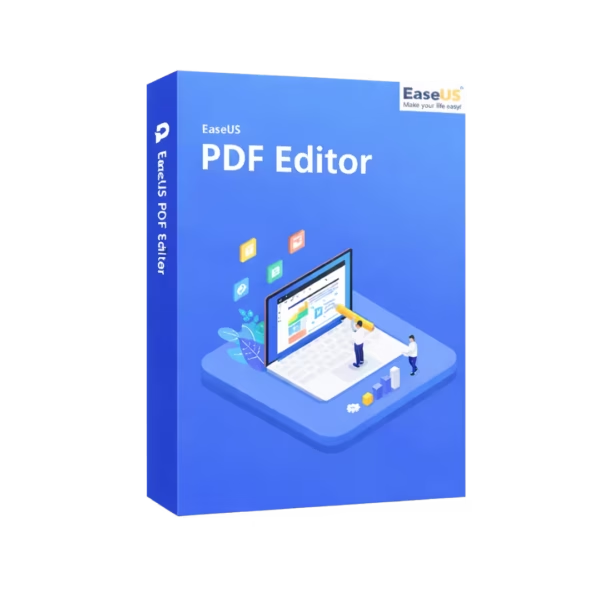
EaseUS PDF Editor is a powerful PDF editing software for creating, editing, converting, and managing documents on Windows and macOS. It includes instant digital delivery, supports lifetime usage with the Lifetime option, and offers a no subscription choice for long-term users.
It is ideal for professionals, students, offices, and business users who need a fast and reliable way to handle PDF documents.
Overview of EaseUS PDF Editor
- Platform: Windows, macOS
- Devices: 1 Device
- License Duration: 1 Month/ 1 Year/ Lifetime
- Activation Method: Online activation
- Delivery: Instant digital delivery via email
- Support: Email and remote assistance
- Language Support: Multi-language
- Compliance: Genuine software licenses sourced through compliant distribution channels in line with EU laws (EU Directive 2009/24/EC)
and industry standards.
Key Features
- PDF editing tools: Edit text, images, and pages directly, so you can update documents without recreating them.
- PDF conversion: Convert files into common formats, making document sharing and repurposing easier.
- Document organization: Merge, split, rotate, and manage pages for cleaner and more professional files.
- Annotation features: Add comments, notes, and highlights to improve review workflows.
- Secure PDF handling: Manage protected documents more safely for business, study, and office use.
- Flexible duration options: Choose 1 Month, 1 Year, or Lifetime based on your document workload.
Main Features Explained
PDF Editing
PDF editing lets you modify text, images, and document layout. This matters when contracts, forms, reports, or invoices need quick updates.
PDF Conversion
PDF conversion helps turn documents into editable or shareable formats. Therefore, you can reuse content faster and reduce manual work.
Page Management
Page management allows you to merge, split, reorder, and rotate pages. This is useful when preparing clean files for clients, school, or business use.
Annotations and Review
PDF annotation tools help users add comments, highlights, and notes. As a result, teams can review documents more clearly.
Why Choose EaseUS PDF Editor?
EaseUS PDF Editor is made for users who need practical PDF document management without a complex learning curve. It works well for editing business files, preparing forms, organizing study materials, and converting documents for daily tasks.
If you need reliable PDF and document management software, this product gives you essential tools in one simple solution. For users focused more on video projects, EaseUS Video Editor is a better comparison.
If your workflow also includes screen recording, EaseUS RecExperts may be useful. For lost files or damaged storage, EaseUS Data Recovery Wizard Professional is more suitable.
EaseUS PDF Editor vs Alternatives
Compared with EaseUS Video Editor, EaseUS PDF Editor is designed for documents, forms, reports, and PDF workflows. EaseUS Video Editor is focused on video creation and editing, while this product is better for office and document tasks.
Compared with basic free PDF readers, EaseUS PDF Editor offers deeper editing, conversion, and organization tools. This makes it more practical for users who work with PDFs often.
System Compatibility
EaseUS PDF Editor supports Windows and macOS. Before installation, make sure your device is compatible and has a stable internet connection for online activation.
License Type Explanation
This product is available for 1 Device with 1 Month, 1 Year, or Lifetime duration options. The Lifetime option supports long-term use without recurring subscription renewal.
Transferability and reuse conditions depend on the publisher’s product terms. For the best experience, activate the software on the device where you plan to use it.
Installation & Activation
- Complete your order and receive instant digital delivery by email.
- Download the installer for Windows or macOS.
- Install the software on your compatible device.
- Open the program and choose online activation.
- Enter the activation details provided after purchase.
- Start editing, converting, and managing PDF documents.
Why Buy From Us
Digital License provides genuine software licenses, secure checkout, and professional support for a smooth purchase experience.
- Genuine licenses sourced through compliant distribution channels.
- Secure payment for safe online ordering.
- Email and remote assistance when support is needed.
- Compliance with EU laws, including EU Directive 2009/24/EC, and industry standards.
Trust Section
Digital License focuses on secure digital delivery, clear product information, and reliable after-sales support. Therefore, you can purchase with confidence and start using your software quickly.








Reviews
There are no reviews yet.